
API Call in a web test
Send an HTTP request in the middle of a web test, and assert on the response.
A test that only drives a browser cannot see what is underneath it. The API Call step sends an HTTP request from the same run: seed a record before the UI walks over it, read back what a form just wrote, or check the API a page depends on before blaming the page. It sits in the scenario like any other step, and every field accepts variables.
The step needs an up-to-date robot. On an older one it fails. Check your robot versions on the Agents page and update them before adding API Call steps. The step is available in Web (New experience) tests, with smartphone tests to follow.
Request
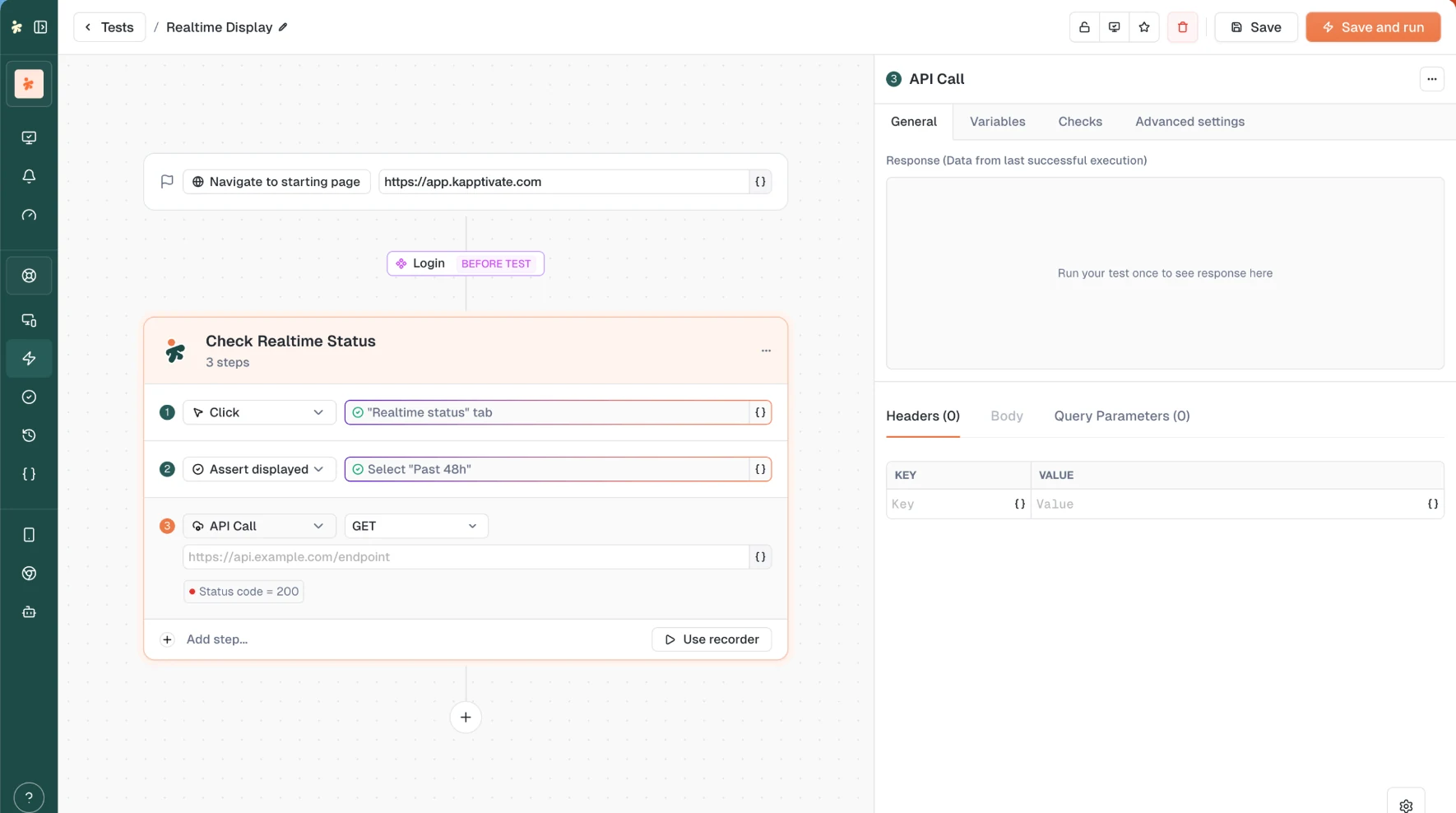
Add the step from Add step..., then pick the method and type the URL on the step row itself.
| Parameter | Required | Description |
|---|---|---|
| Method | Yes | GET, POST, PUT, PATCH, DELETE, HEAD, or OPTIONS. |
| URL | Yes | The endpoint to call, for example https://api.example.com/orders. Supports variables, so a token or an ID from an earlier step drops straight in. |
| Query Parameters | No | Key and value rows, both variable-aware. They are the query string of the URL, so editing either side keeps the other in sync. |
| Headers | No | Key and value rows, both variable-aware. Add header appends a row. |
| Body | No | Available on POST, PUT, PATCH, and DELETE. Pick JSON, XML, HTML, or Text for syntax highlighting; the body is sent exactly as typed. |
Switching to a method that carries no body clears the body rather than sending it, since a GET with a payload is refused by the HTTP client.
Settings
API Call Settings, in the step's panel:
- Override DNS: resolve the host through your own DNS servers. Add as many as you need (
8.8.8.8and friends), and each entry accepts variables, so a per-environment resolver can come from a configured variable. - Accept insecure certificates: proceed on a self-signed or expired certificate. Same option, same name, as in the browser steps.
- Preserve cookies: keep the cookies of the run for this request.
- Redirection: Automatically follow redirects, on or off.
Assert on the response
The step's Checks tab splits conditions in two:
- Success conditions, read as "Passes if": the step passes when they are all met.
- Warnings, read as "Warns if": the step still passes, but the run flags a warning.
A condition can be moved from one group to the other, so tightening a warning into a hard failure is one click.
What you can assert on:
| Field | Typical use |
|---|---|
| Status code | is exactly 201 |
| Status text | is exactly Created |
| Response header | Name the header, then assert its value |
| Response body | Raw body, or a JSON path / XML path such as data.id |
| Response time | Whole request under a threshold |
| DNS lookup time, TCP/TLS connection time, Time to first byte, Content transfer time | Pin down which phase is slow, not just that it is |
The operators depend on the field:
- Text (status text, a header's value, the body): is exactly, contains, starts with, ends with.
- The body adds matches JSON, matches regex, is valid JSON, and is valid XML.
- A header adds is present and is not present, to assert on the header itself rather than its value.
- Numbers (status code and every timing) compare with
=,<,≤,>, and≥. Durations come with a ms, seconds, or minutes picker.
In the Warnings group, a condition reads as the trigger rather than the expectation: "Warns if > 10s" is the same condition as a success condition written ≤ 10s.
Run the test once before writing your conditions. Pick a field... then lists the attributes of the last response, and Open in full view opens a searchable list where you can tick several attributes and add them all as conditions in one go.
See what came back
In the builder, the step panel keeps a Response panel filled with the data from the last successful execution, in three tabs: Body (Pretty or Raw, with Copy), Headers with their count, and Performance.
In the run results, an API Call step opens on four tabs:
- Response: body, headers, and the timing breakdown, DNS Lookup, TCP Connection, Request Sent, Content Generation, and Content Transfer.
- Request: what was actually sent, headers included.
- Settings: DNS override, certificates, cookies, and redirects as they ran.
- Variables: the variables this step used.
What's next?
Last updated on