
Permission groups and dependencies
Learn how role permission groups, dependencies, and restrictions work together to control access to features across the platform.
Roles organize permissions into logical groups that control access to platform features. Understanding how these groups and dependencies work helps you build roles that give users exactly the access they need.
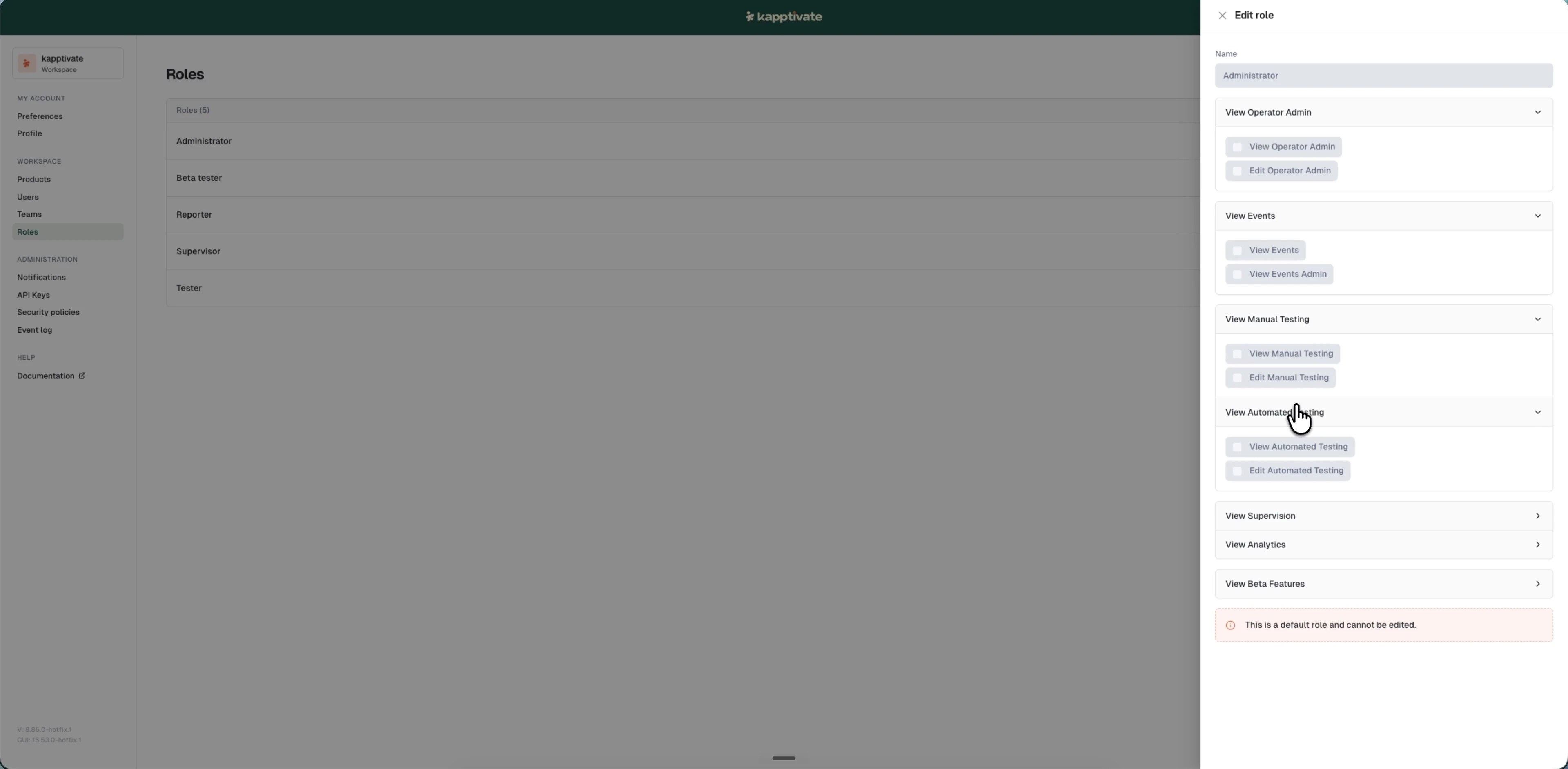
Permission groups
Permissions are organized into groups, one per feature area. Expand a group to see its individual permissions:
- Operator Admin: view and edit the admin panel: users, teams, products, and other administration settings
- Events: view the event log, with an additional admin-level view for operator events
- Manual Testing: view and edit manual tests
- Automated Testing: view and edit automated tests
- Supervision: view and manage production supervision and incidents
- Analytics: view and manage monitoring analytics and dashboards
- Beta Features: access experimental features
Most groups expose a View permission (read-only access) and an Edit permission (create, modify, or delete). Edit implies View automatically, granting Edit access always includes View access.
Permission dependencies
The system enforces permission logic automatically:
- Edit implies View: if you grant Edit access to a feature, View is automatically enabled
- Cascading dependencies: unchecking View automatically unchecks the corresponding Edit permission
- Disabled permissions: permissions you don't have are shown as disabled checkboxes with a tooltip explaining why
This ensures role permissions are always consistent and follow a logical hierarchy.
Permission restrictions
You can only assign permissions that you yourself already have. Permissions you don't have are shown as disabled checkboxes.
For example, if you have "View Operator Admin" but not "Edit Operator Admin", you can create roles with View but not Edit for that permission.
Super administrators can assign any permission without restrictions.
Last updated on