
Verify with AI
Verify with AI checks whether a page matches a plain-language description you write, staying reliable even as layouts change.
Exact-match assertions can't express "the login page is displayed": they check one selector, one value, one pixel. Verify with AI evaluates the whole page against a sentence you write in plain language, so the check holds even when the layout shifts.
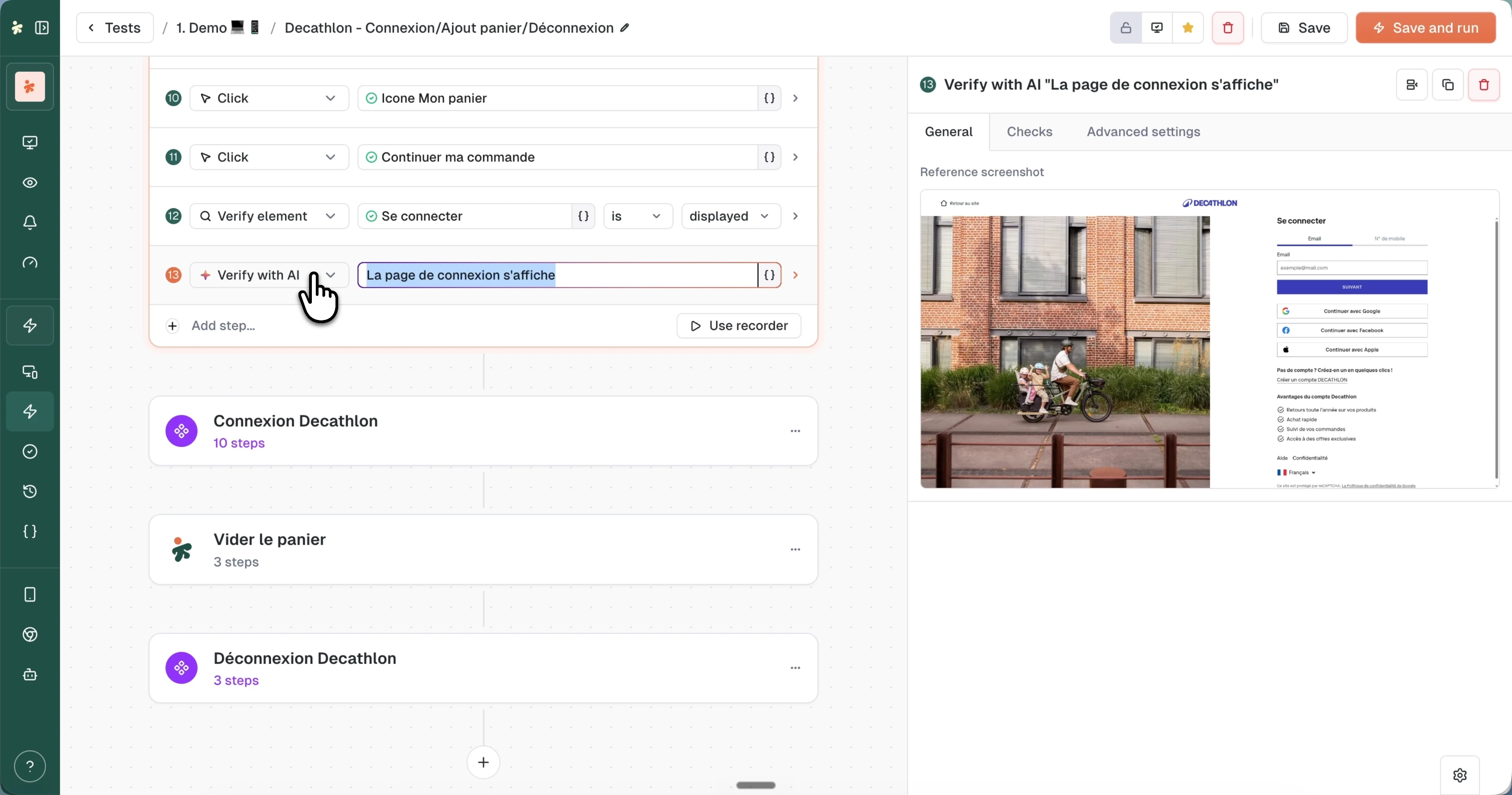
Add the step
In the builder, choose Add step... > Verifications > Verify with AI, then write what you expect: "The login page is displayed", "The cart shows 2 items", "The checkout button is enabled".
At run time, the AI captures the page state and judges it against your assertion. The step fails when the description isn't met, like any other verification.
Dynamic assertions with variables
Prompts accept variables: click the {} icon to insert values from previous steps, random generators, or your configured variables. That makes assertions like "The confirmation page shows the name {Firstname}" possible, where Firstname was typed (or generated) earlier in the test.
When to use it
- Page-level outcomes: "the dashboard loaded", "the form was submitted successfully", where no single selector captures the state.
- Visual states: button colors, banners, image presence, things exact-match checks struggle with.
- Resilient smoke checks: assertions that should survive redesigns.
For deterministic checks on a specific element or value, prefer the standard checks; they're faster and reproducible. The JSON reference lives at aivisualassert.
What's next?
Last updated on