
Smartphone testing on real devices
Test native Android and iOS apps on real devices with Kapptivate's Smartphone channel, using tap, swipe, and assertion steps.
The Smartphone channel tests native mobile apps on real Android and iOS devices. Tests interact with apps just as a user would: tapping, typing, swiping, and verifying UI elements. They run on the Smartphone agent, a controller that manages the connected devices.
Quickstart
Create your first native app test in four steps.
Create the test. Open the Tests section for your product, click + Create new test, and choose Smartphone (New experience). Name the test and select the installed app to launch by its package name (Android) or bundle ID (iOS).
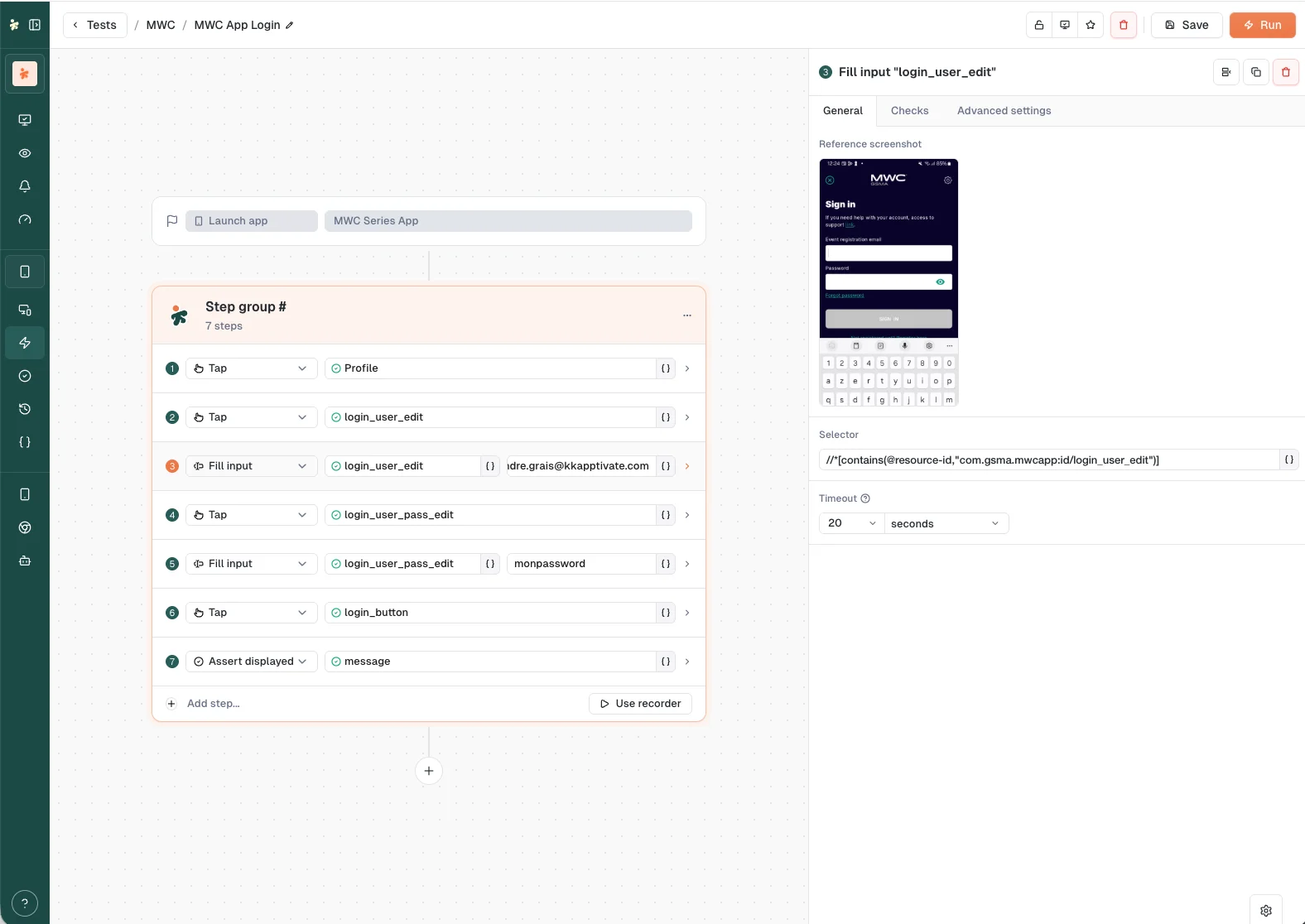
Add steps. In the builder, record interactions on the live device or add smartphone actions manually: tap an element, fill an input, swipe, wait, and assert that something is displayed. Save the test.
Run it on a device. Click Run in the builder to watch it live, or Run on the test's row, then confirm the device and variables on the run confirmation page and launch.
Read the result. Open the execution under Executions to see status, per-step screenshots, and timing.
Smartphone tests
Starting point: specify the app by its package name (Android) or bundle ID (iOS), along with metadata like app name and version.
App management: Kapptivate can enumerate installed apps and reset an app before each test run.
Common actions: tap elements, type text, swipe, wait for elements, check text or elements exist, open or close apps, and navigate app screens.
Devices
Real or virtual Android and iOS devices connected to a Smartphone agent. Each device reports:
- UUID and name (defaults to manufacturer and model)
- Device type (Android or iOS)
- Manufacturer, model, SDK version, screen resolution
- Gateway (the agent controlling it)
- Roaming status per installed SIM
- Installed apps
- 24-hour CPU and network usage
The Smartphone agent
A controller that manages real Android and iOS devices.
- Runs tests against native Android and iOS apps
- Captures device properties (manufacturer, model, SDK version, screen resolution)
- Can reset apps before each test run
See Statuses for agent and device states, plus 24-hour usage tracking.
Last updated on