
Web and API testing in a browser
Learn how to build browser-based Web tests and API steps, configure Web agents, and run automated checks against your sites and services.
The Web channel runs browser-based tests against websites and web apps. API steps hit HTTP services directly, without a browser. Both run on the Web agent, a machine or server with network access at a specific location.
Quickstart
Create your first browser test in four steps.
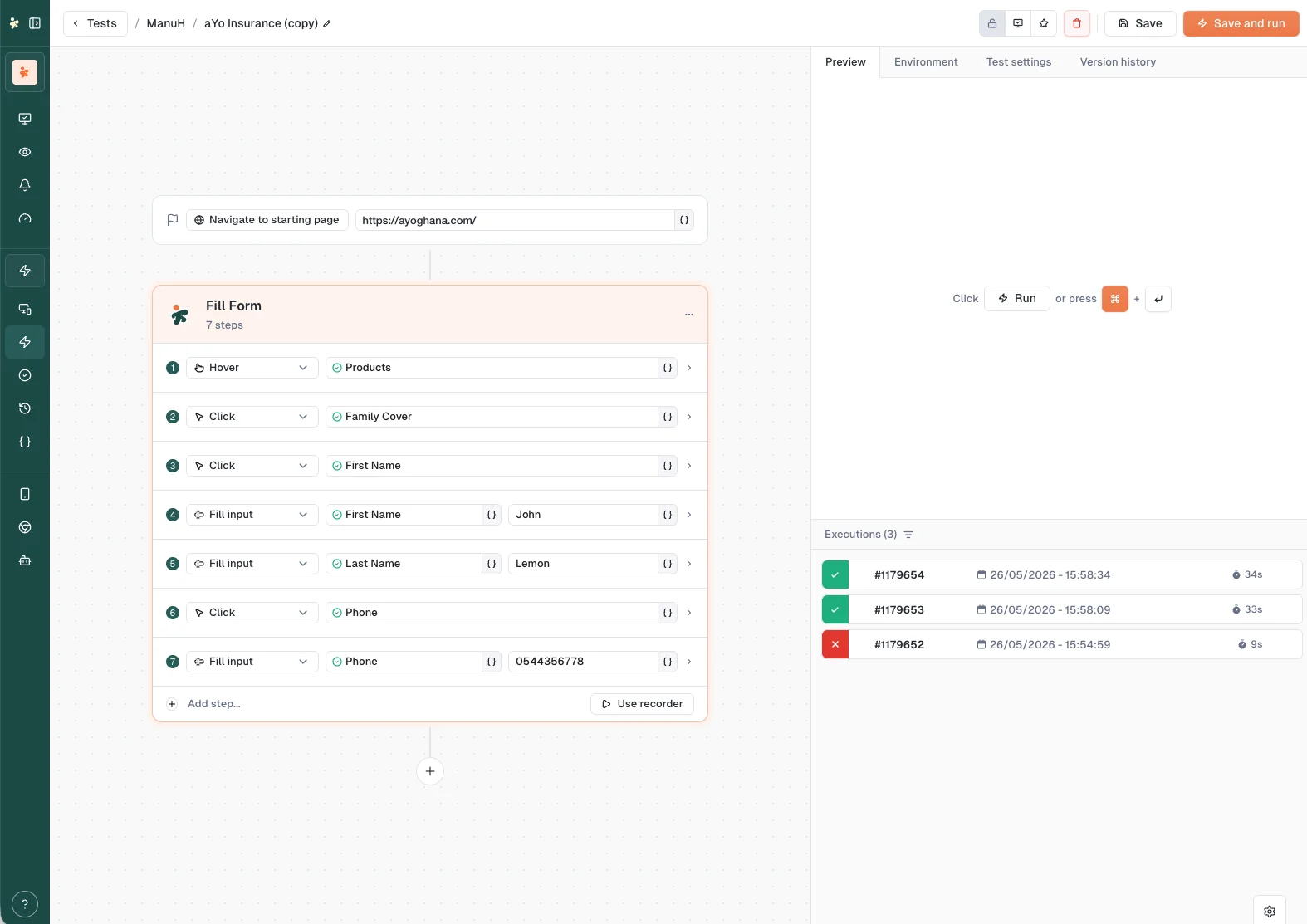
Create the test. Open the Tests section for your product, click + Create new test, and choose Web (New experience). Fill in the test name, the default Web agent, and the start URL the browser opens.
Add steps. In the builder, record interactions on the live page or add web actions manually: click an element, fill an input, wait for content, and assert that something is displayed. Save the test.
Run it on a browser. Click Run in the builder to watch it live, or Run on the test's row, then confirm the agent and variables on the run confirmation page and launch.
Read the result. Open the execution under Executions to see status, per-step screenshots, and timing.
The browser type, window size, language, and user agent come from the browser preset you pick in the builder's Environment tab.
Web tests
Web tests automate user interactions like clicking, typing, navigating, and checking page elements.
Starting point: you provide a URL template. Tests launch the browser, navigate to that URL, and run your steps from there.
Browser options you can configure:
- Browser type
- Custom user agent
- Language/locale
- Window size (default 1920×1080)
Common actions: click elements, type text, navigate, wait for elements, check that elements exist or contain text, scroll, hover, and read element properties.
API steps
Test REST and HTTP services directly with API steps added inside a web or smartphone test, useful for backend validation, contract checks, and end-to-end flows that mix UI and direct backend calls.
Request configuration:
- HTTP methods: GET, POST, PUT, PATCH, DELETE
- URL with templated variables
- Custom headers
- Body: JSON or raw payload
- DNS override, proxy routing, SSL handling, redirects, and cookies
Response validation:
- Status code checks
- Body and header assertions
- Variable extraction from the response for use in later steps
Per-request metrics: detailed timing breakdown (DNS lookup, TCP connection, TLS handshake, content generation, transfer, total) for performance analysis.
The Web agent
A server or machine that runs browser-based tests from a specific network location.
- Automates website and web application testing
- Launches browsers and executes test steps
- Supports multiple simultaneous tests
Configuration: hostname or IP address, parallel test capacity, automatic reboot and update scheduling, network configuration, and credentials for authentication.
Web agents report their own operational states: see Statuses, including the setup-only "Waiting for Config" state unique to web agents.
Last updated on