
Agent and device statuses
Learn the operational, registration, signal, and usage statuses for agents and devices, plus the rules that determine device availability.
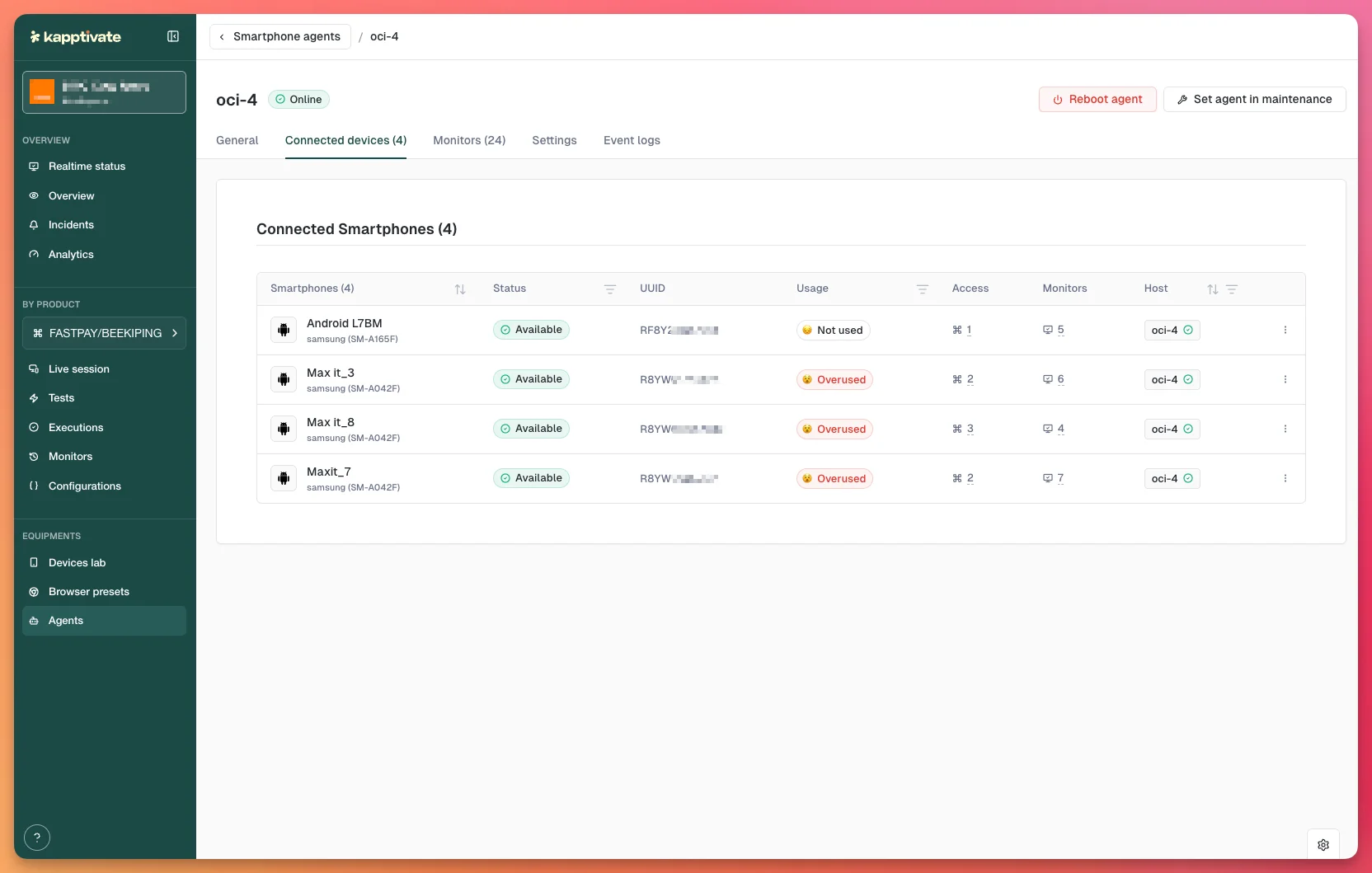
Agents and the devices they control each report their own operational status. This page collects every status in one place: the states shared by all agents, the states shared by smartphones and SIM cards, and the network and signal states specific to SIMs.
Agent statuses
All agents report the same operational states:
| Status | Meaning |
|---|---|
| Online | Agent is reachable and ready to run tests |
| Offline | Agent is unreachable or stopped |
| Rebooting | Agent is currently rebooting |
| Maintenance | Agent is in maintenance mode (manual or scheduled) |
| Waiting for Config | Agent initialized but lacks required setup (Web agents only) |
| Test-only | Agent is reserved for test-only runs; cannot run production tests |
Device statuses
Smartphones and SIM cards share the same status set:
| Status | Meaning |
|---|---|
| Available | Device is ready and can accept tests |
| Configuration | Device is being set up or updated |
| Unavailable | Device is offline, not responding, or unreachable |
| Disconnected | Device lost connection to its agent |
| Degraded | Device is partially functional (e.g. high resource usage, intermittent connection) |
| Archived | Device has been retired and is no longer in use |
| Test-only | Device is reserved for non-production test runs |
SIM registration statuses
SIM cards also report their network registration state:
| Status | Meaning |
|---|---|
| REGISTERED | Registered on the home network |
| REGISTERED (ROAMING) | Registered on a partner network |
| SEARCHING | Searching for an available network |
| NOT REGISTERED | Not registered (no signal or out of service) |
| NOT REGISTERED (DENIED) | Registration attempt was rejected by the network |
| DENIED | Network denied registration |
| PIN REQUIRED | SIM is locked; PIN code needed to unlock |
| PUK REQUIRED | SIM is locked; PUK (unlock code) needed |
| LIMITED SERVICE | Emergency or limited service only |
| UNKNOWN | Registration status cannot be determined |
SIM signal strength
| Level | Meaning |
|---|---|
| Low | Weakest usable signal; tests are likely to fail |
| Marginal | Below average; tests may be unreliable |
| OK | Acceptable signal for most tests |
| Good | Strong signal |
| Excellent | Strongest signal |
Usage status
Kapptivate tracks each device's 24-hour resource utilization to help you spot capacity issues:
| Status | Usage range | Meaning |
|---|---|---|
| Not Used | 0% | No tests run in the past 24 hours |
| Healthy | 0–60% | Running normally with spare capacity |
| Stressed | 60–85% | Approaching capacity; consider load balancing |
| Overused | >85% | At or over capacity; tests may queue or time out |
| Unavailable | - | Device is offline and cannot run tests |
Device availability rules
A device is available for testing when:
- Its status is Available
- Its agent is Online
- For SIMs: the SIM is registered on a network (REGISTERED or REGISTERED ROAMING)
Optional additional checks:
- Device must not be in configuration
- Device must not be rebooting
- Device must not be in maintenance mode
Last updated on