
Members and access
Learn how to add members to a team, assign products, and set roles so every member inherits the same access permissions.
Teams let you manage access at scale. Add members, assign products, and set roles once. Every member inherits the same permissions automatically.
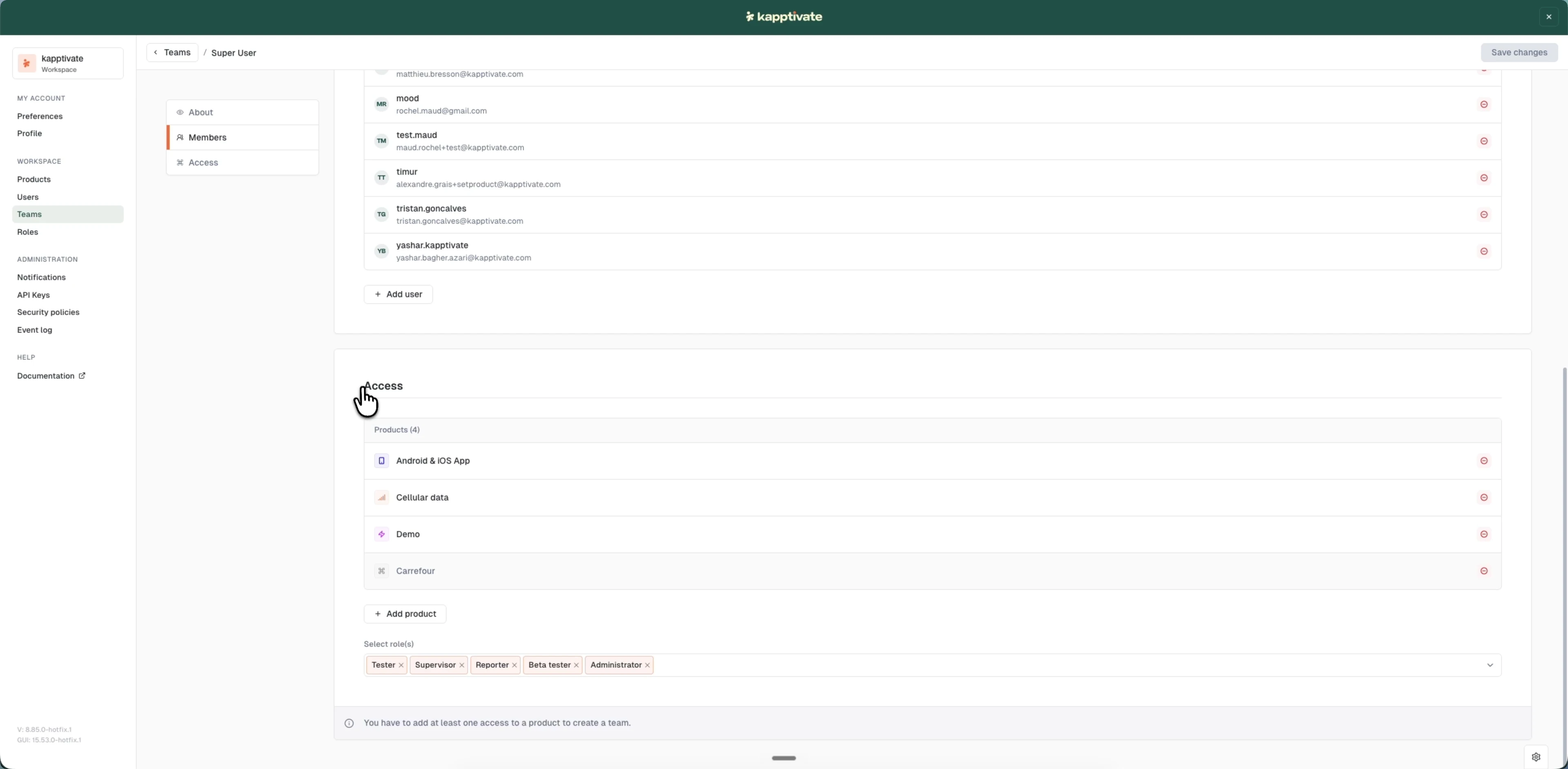
Add members to a team
Members you add to a team inherit all the team's product access and roles.
- Open the team for editing
- Scroll to Members
- Click "+ Add user"
- In the "Add users to this team" modal, search for and tick one or more users, or use "Select all"
- Click "Add (X)", where X is the number of selected users
- Click "Save changes"
The new members can now access all products assigned to the team with their inherited roles.
Assign products to a team
Products assigned to a team become accessible to all team members. You can assign multiple products.
- Open the team for editing
- Scroll to Access
- Click "+ Add product" and choose one or more products from the modal
- Click "Save changes"
All current and future team members inherit access to these products.
Assign roles to a team
Roles assigned to a team define what permissions members have. You can assign multiple roles, and they apply across every product assigned to the team.
- Open the team for editing
- Scroll to Access
- In the "Select role(s)" field, choose one or more roles; each shows as a removable chip (for example Tester, Supervisor, Reporter, Beta tester, Administrator)
- Click "Save changes"
All team members inherit these roles and the permissions they grant.
Last updated on