
CI/CD integration
Run Kapptivate tests automatically in CI/CD pipelines like GitHub Actions, with pass/fail status, summaries, and deep-linked results.
Tests that only run when someone remembers to click Run don't protect a release. Driving Kapptivate from your CI/CD pipeline puts the same tests in front of every push, schedule, or deploy, with the results readable directly in the pipeline.
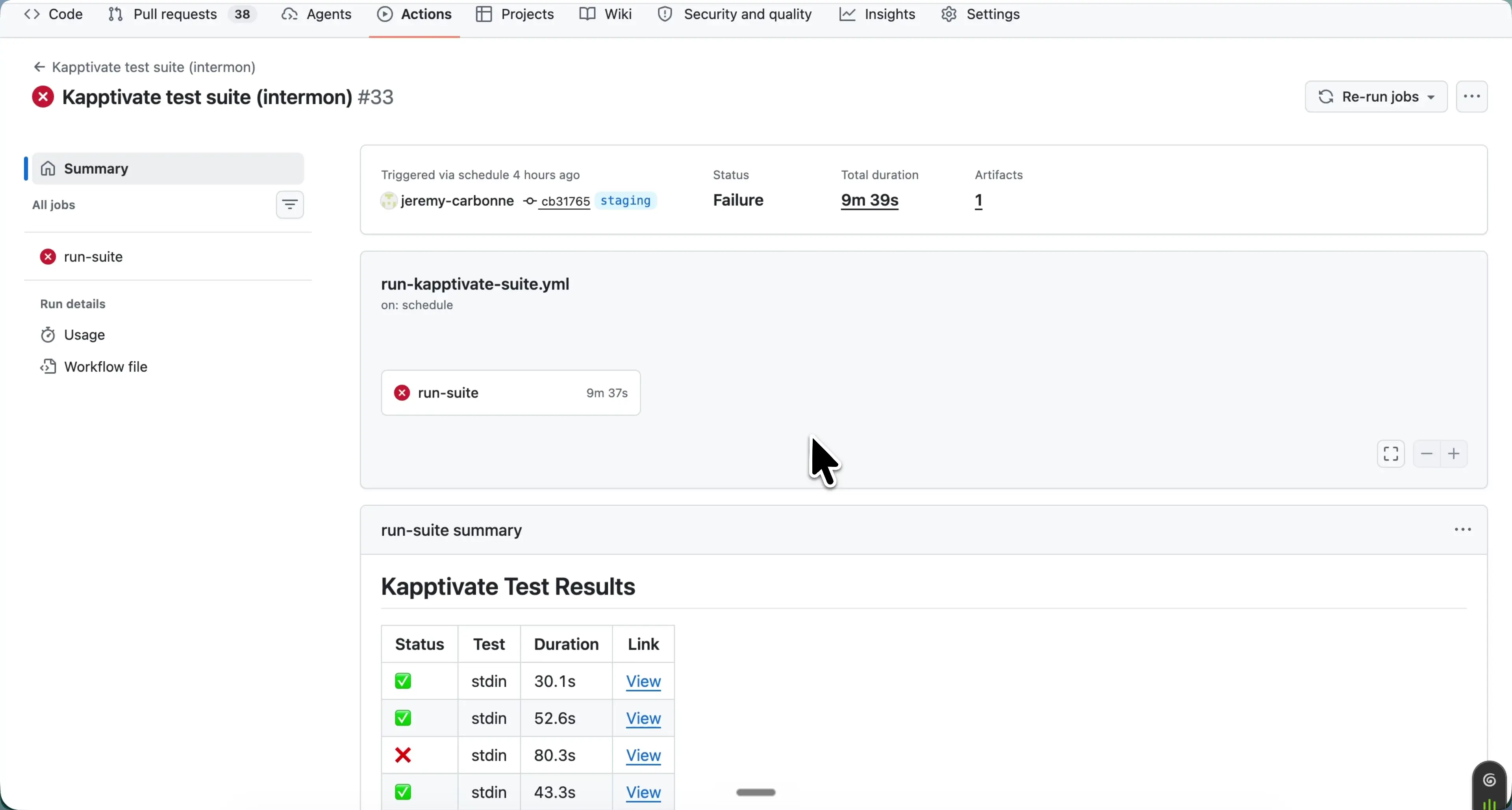
How it works
Your workflow runs the Kapptivate CLI, authenticated with an API key, to execute a test or campaign. The pipeline then reflects the outcome:
- The job succeeds or fails with the run, so a red pipeline means a red test.
- A Kapptivate Test Results summary lands in the run's summary page, one row per test with its Status, name, Duration, and a View link.
- Each View link deep-links to that execution's results in the Kapptivate app, screenshots, video, and steps included.
- The run's report is attached as an artifact.
GitHub Actions
In GitHub Actions, the summary table renders on the workflow run's Summary page. A typical setup runs a campaign on a schedule (for example run-kapptivate-suite.yml with on: schedule) or on push, and fails the job when tests fail.
See ktm ci build and ktm ci run for the commands to use in your workflow, and the CI/CD guide for complete pipeline examples.
Prefer driving tests from an AI assistant instead of a pipeline? The MCP server lets agents build and run campaigns in natural language.
Last updated on