
Delete your account
Learn how to permanently delete your account from Account & Password settings, and discover safer alternatives before you confirm the deletion.
You can permanently delete your own account from the Account & Password section of your profile. This removes your account and the personal data attached to it.
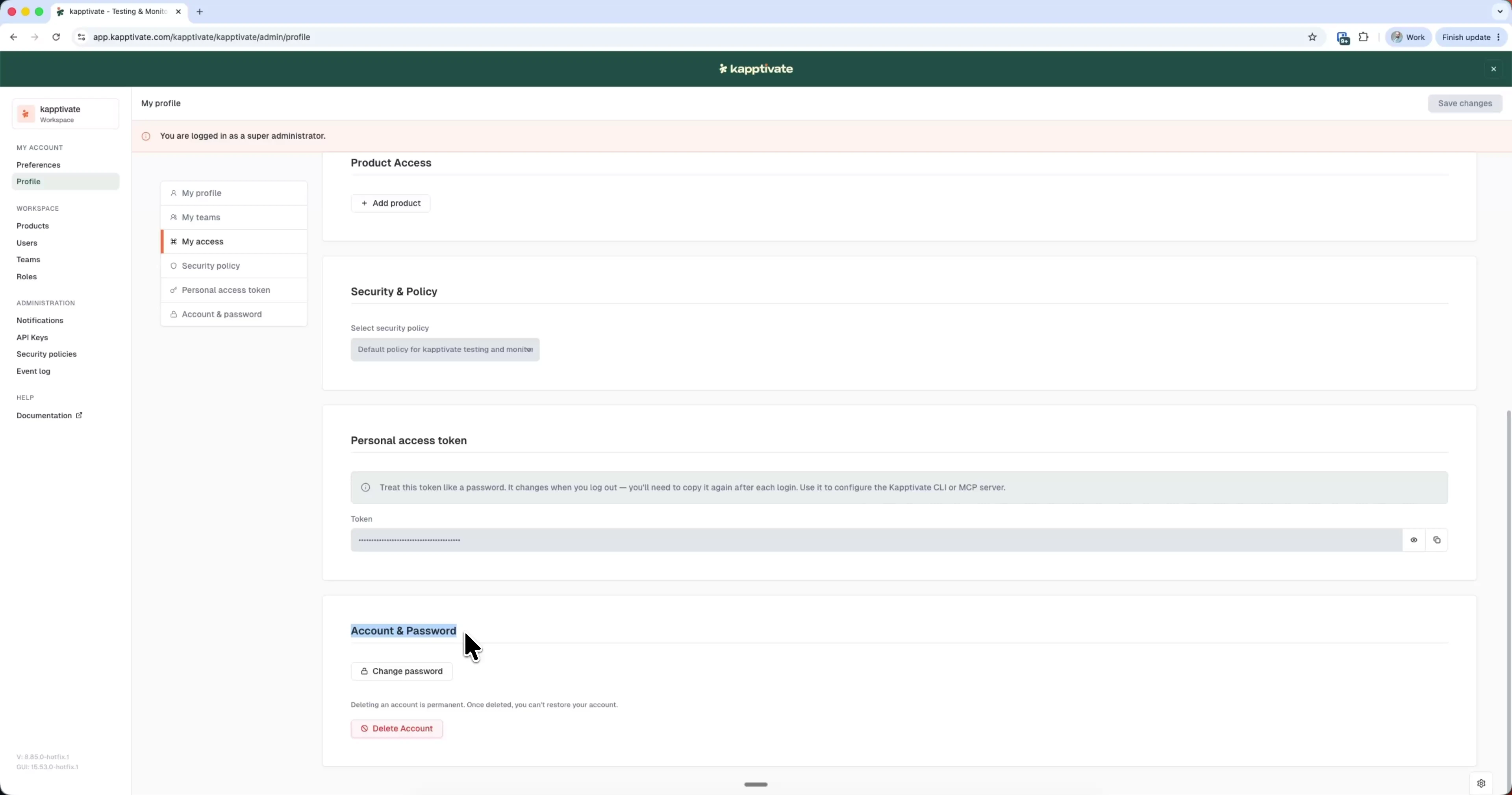
Deleting your account is permanent and cannot be undone. Your account and its associated data are erased and can't be restored.
To delete your account:
- Click your workspace name at the top of the sidebar and select Settings
- Open Profile under My account
- Scroll to Account & Password
- Click Delete Account
- Confirm in the dialog
If you only need new credentials, change your password instead. To remove someone else from the workspace, an administrator does that from Users, not here.
Last updated on