
Email reports
Set up scheduled email reports to deliver dashboard snapshots to stakeholders automatically, with custom frequency, aggregation, and recipients.
Stakeholders shouldn't have to log in to know how production is doing. Email reports send a dashboard snapshot to the right inboxes on a schedule, so the weekly service review or the daily ops check arrives by itself. They live on the Mail reports tab of the Analytics area.
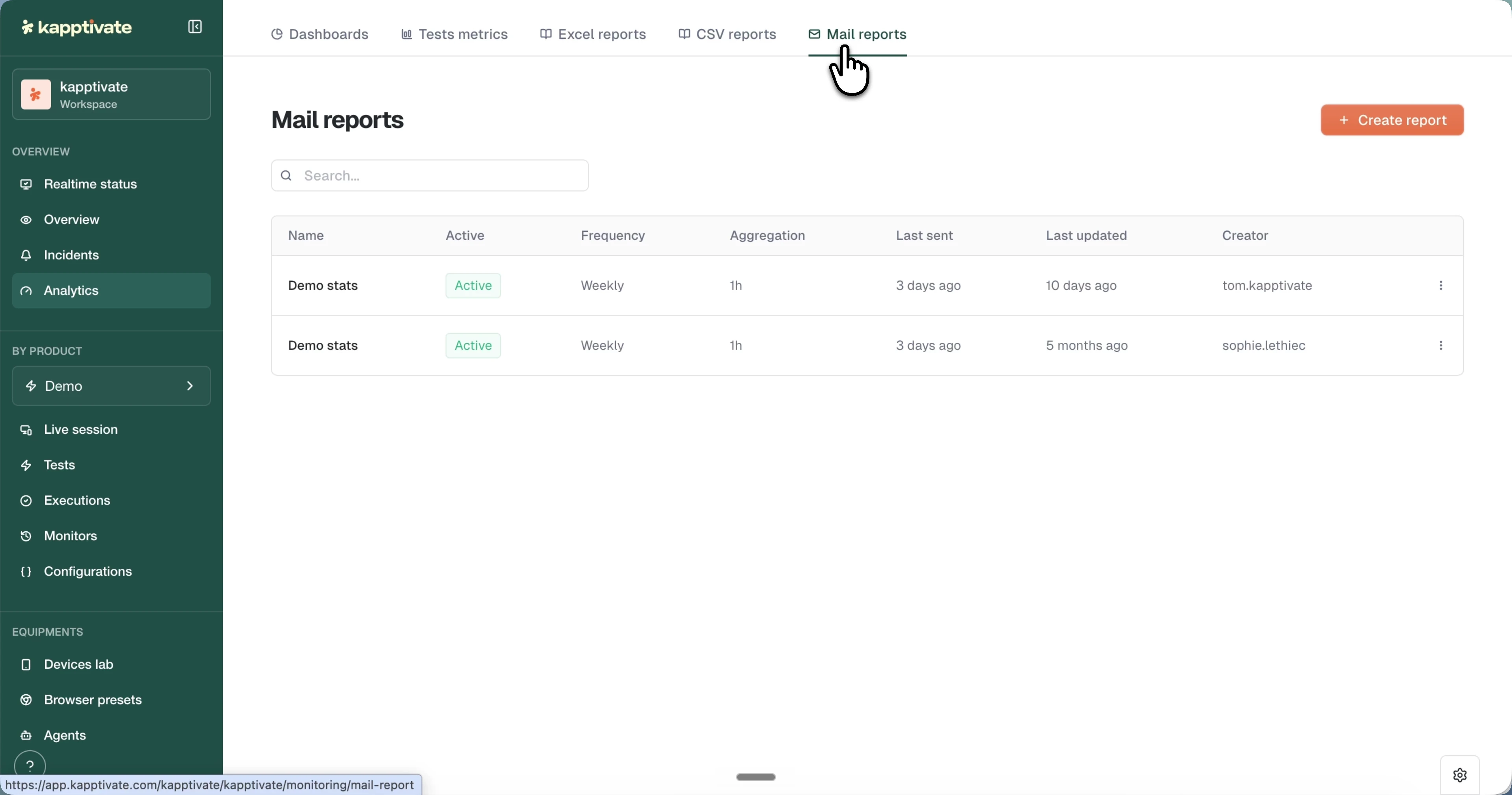
The reports list
Each scheduled report shows:
- Name and the Active status badge.
- Frequency: how often it sends.
- Aggregation: the data granularity used in the snapshot.
- Last sent and Last updated: relative times to confirm delivery and spot stale configurations.
- Creator: who set it up.
Search reports by name, and use a row's menu to edit, duplicate, or delete a report.
Create a report
Click + Create report and configure:
- Dashboard: pick the dashboard to send; the selector shows your collections and favorites.
- Name: a descriptive name for internal reference.
- Frequency: Daily, Weekly, Monthly, or Last 24 Hours, with the send time.
- Aggregation: the data granularity, for example 1 hour.
- Timezone displayed: the timezone used for dates in the report.
- Recipients: pick one or more addresses from the workspace users dropdown.
If the dashboard uses variables, you can override their values per report, so different recipient groups get customized views without duplicating the dashboard.
Last updated on