
Add devices
Learn how to add and manage SIM cards, smartphones, and web agents for a product, including linking, searching, and removing devices.
Devices are the phones, SIM cards, and agents you use for testing. Linking a device to a product makes it available for tests on that product, and lets you share a device's usage between products.
The "Allocated devices for this product" table lists every linked device with:
- Devices: the device's platform icon, name, and model or number.
- Status: a chip such as Online, Available, Configuration, or Archived.
- Usage: a health chip such as Healthy or Not used.
- Hosted on: the agent hosting the device (and the slot for SIMs).
Search the list by name, and remove a device with the icon at the end of its row.
Add devices to a product
- Open the product for editing
- Scroll to the Allocated devices section
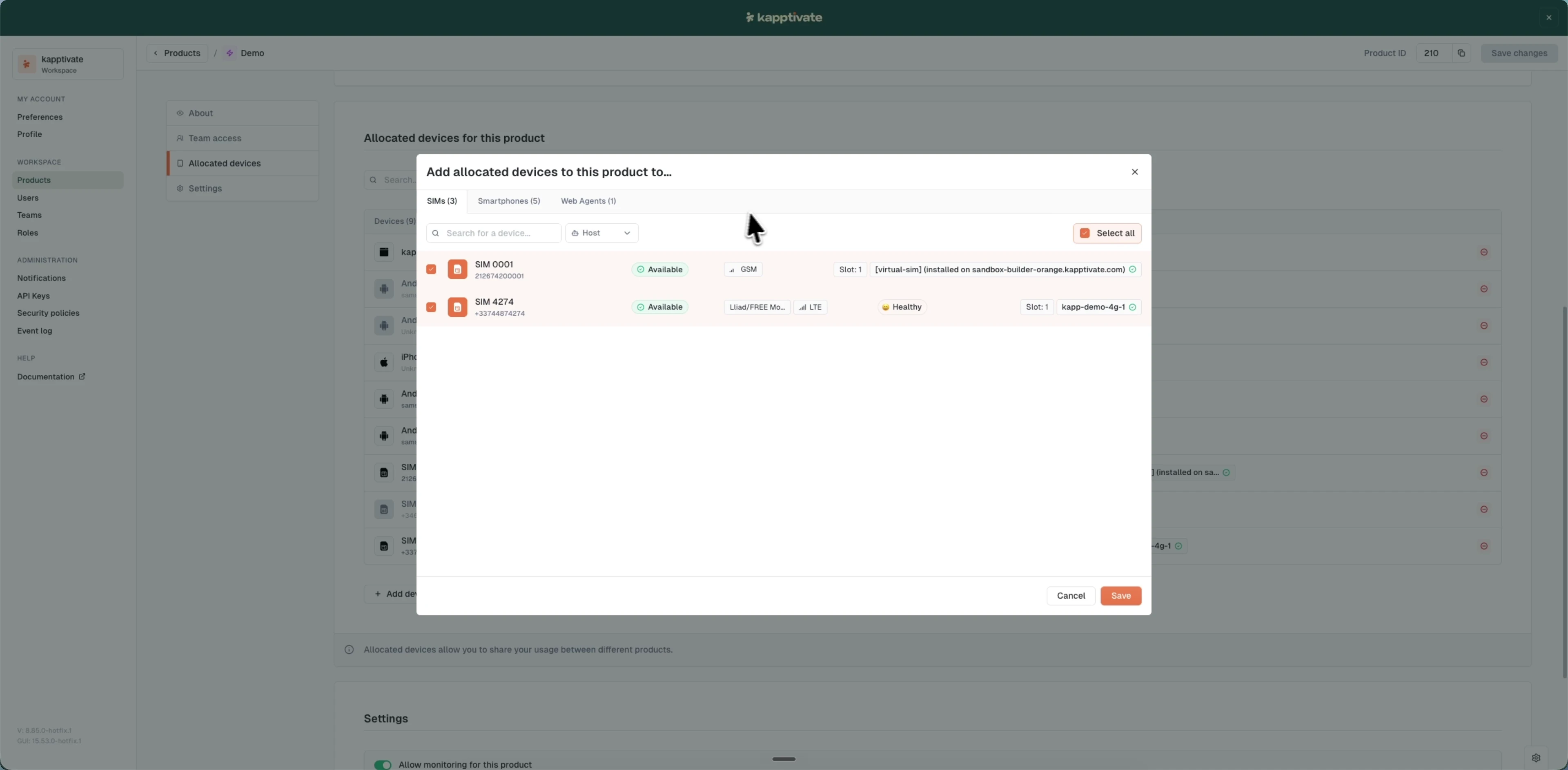
- Click "Add device"
- In the modal, switch between the SIMs, Smartphones, and Web Agents tabs and tick the devices you want (search by name or ID, filter by host, or use "Select all")
- Click "Save"
- Click "Save changes"
You can assign smartphones, SIM cards, and web agents to the same product.
Last updated on