
Assign teams
Assign teams to a product to grant all members instant access, then track member counts and reach in the Teams access table.
Team members need product access to work with a product. You can assign teams to grant all members access at once. The Teams access table lists each assigned team with its Members count and an Access column showing how many products the team can reach; remove a team with the icon at the end of its row.
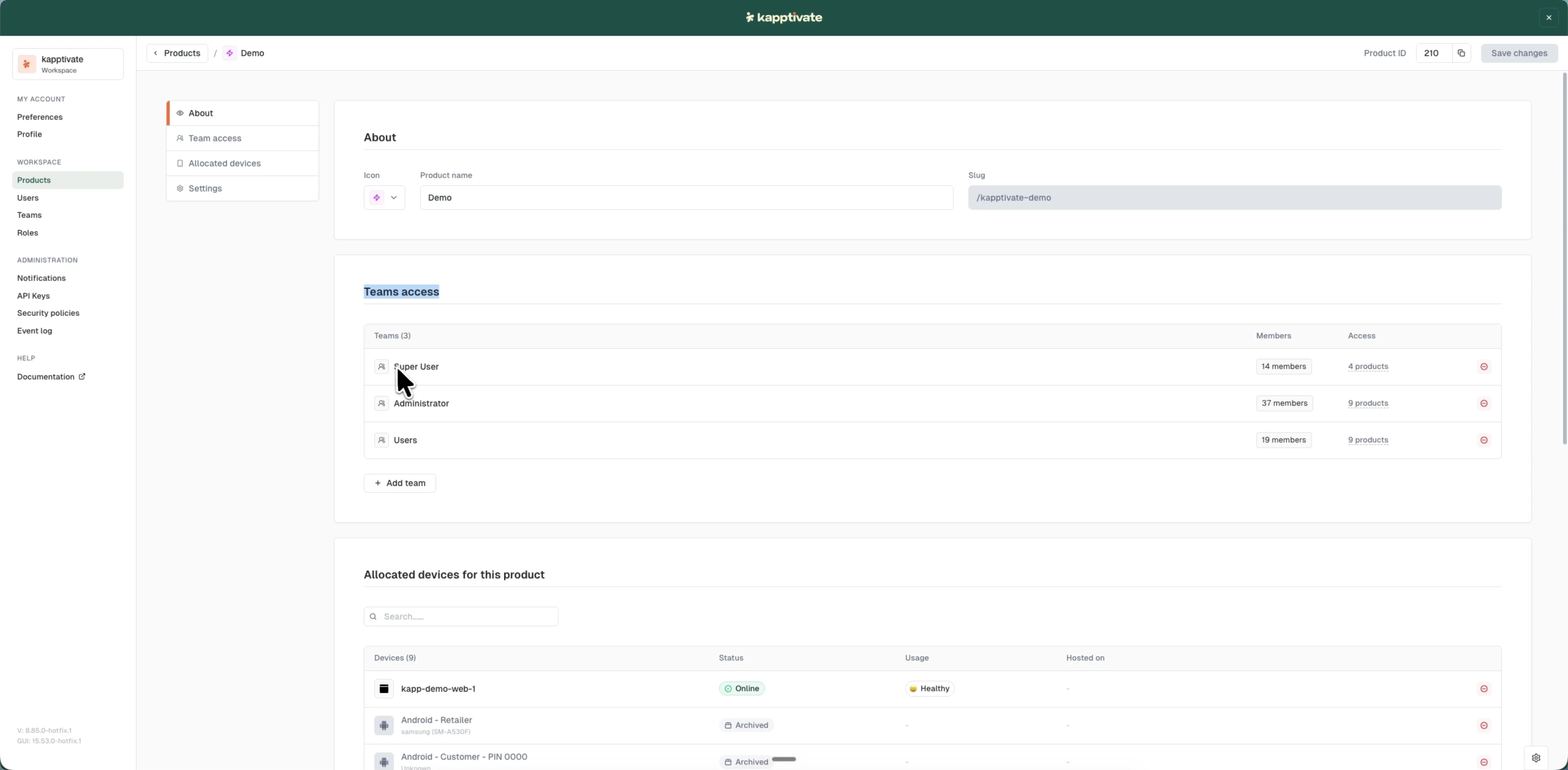
Assign teams to a product
- Open the product for editing
- Scroll to the Teams access section
- Click "+ Add team"
- In the modal, select one or more teams
- Confirm your selection
- Click "Save changes"
Team members inherit this product access automatically.
Last updated on