
Reusable components
Learn how to build, manage, and reuse test components across your test suite to maintain consistent steps and simplify updates.
A reusable component is a test you build once and drop into other tests as a building block: a login flow, a cookie-consent dismissal, a navigation sequence. Instead of copying the same steps into every test, you maintain them in one place and reference them everywhere.
How they work
A reusable component is authored like any other test, but it lives in its own Reusable components tab alongside Tests and Test campaigns. When another test references a component, the component's steps run inline as part of that test.
Update a component once and every test that uses it picks up the change: fix a login flow in one place and all dependent tests stay correct.
Creating one
There are two ways to create a component:
From scratch: open the Reusable components tab in the test list and create it like a normal test: pick a channel, set a starting point, and add steps. Once saved, it's available to insert into other tests in the same product.
From an existing test: in the test builder, open a step group's menu and choose Create reusable component. The group is published to the library and turns purple to show it's now shared. To convert it back to plain steps in that test, use Detach reusable component.
The components list
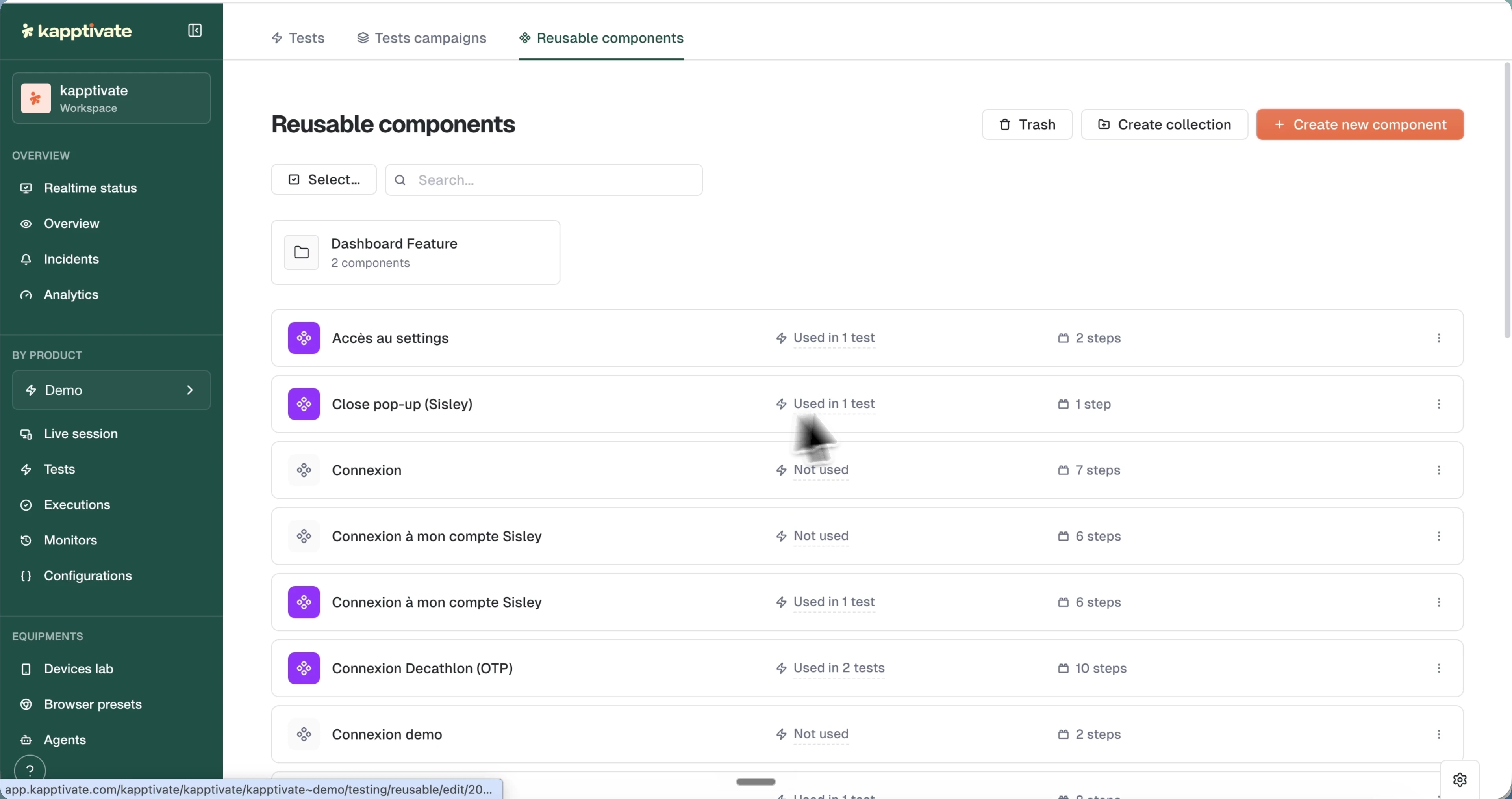
The Reusable components tab lists each component with a Usage chip ("Used in X tests") and a Steps count. The connection icon next to the name is color-coded: purple when the component is actively used, grey when nothing references it yet.
Components are stored in collections, like tests. Browse them from the folder tree of the Reusable components tab, move one with Move from its menu, and search across the whole tree. The same collections show up in the modal that inserts a component into a test, so a large library stays navigable from inside the builder.
Click a component's usage chip to open the Used in tests modal: it lists every dependent test with its creator and an Edit shortcut straight into that test's builder, so you can assess the blast radius of a change before making it.
Reuse and dependencies
- Validity propagation: if a component becomes invalid, every test that depends on it is flagged as invalid until the component is fixed. In the test list, a red triangle marks a test whose dependency is broken.
- Product scope: reusable components belong to a single product. A test that contains a reusable component can't be copied to another product.
Last updated on